My Space and My Place

    • Home
    • Inquiry 2021
    • Digital Technologies Site
    • VTaL Site
    • VTaL G+
Today my Year 9 students and I had a go at Quad Blogging.  This was our approach ...


  1. I used the chat function to "chunk" instructions, and asked students to demonstrate their understanding of the instructions that I was giving relating to Quad Blogging.  This included determining their understanding of Quad Blogging.
  2. Next I used the Hangout function to demonstrate the steps required to undertake Quad Blogging, including writing the blog post, and asking for feedback.  The setup of each of the students blogs are generic as they were following my example.  In this instance, that is irrelevant, as the purpose of this exercise was to teach the students how to Quad Blog.
  3. The students used the chat function to share access to their published blog posts.  At this point, we (myself and students) determined that at least one of the students didn't have access to their blog.  So, during the hangout, they sent an email asking that access to their blog be fixed.  This student continued the Quad Blog process in a Google doc.
  4. The students accessed each other's blogs, read each others blog posts, and attempted to provide feedback to others and gain feedback from others.  There was a huge gap in the lesson where the comments were not coming through and I needed to provide guidance to enable students to provide meaningful feedback to each other's work.  The students really struggled with this part.  I used the Hangout function to demonstrate blog comments coming through from learners and to guide the learners on appropriate ways to provide feedback.  [At this stage, the students underwent many edits to their comments that they were writing for others].
  5. The students then wrote at least one comment on another learners' blog post.
  6. We ended the lesson, with me explaining what our next steps would be for tomorrow's class.  The next step being for students to reflect on the blog comments, think about what their next steps will be based on the comments, reply to the comments explaining what their next steps will be, and then making the changes to their designs.


Here is a link to a couple of the students' blog posts:

School Stuff Website - Feedback on my Home Page Design - Student 1
School Stuff Website - Feedback on my Home Page Design - Student 2

The following are a series of screenshots that shows different parts of our process.  I hope to edit this post in the not too distant future to make these screenshots more user friendly to navigate.  However, in the meantime, hopefully they will be easy enough to follow.


EDIT:  The follow up in today's lesson (Wednesday 22 April) is that one of the student's went through the process of replying to the initial blog comment feedback on their design layout, with constructive ideas of what they were going to do next.  The following is a screenshot that shows the changes that the student is in the process of making.


Share
Tweet
Pin
Share
10 Comments
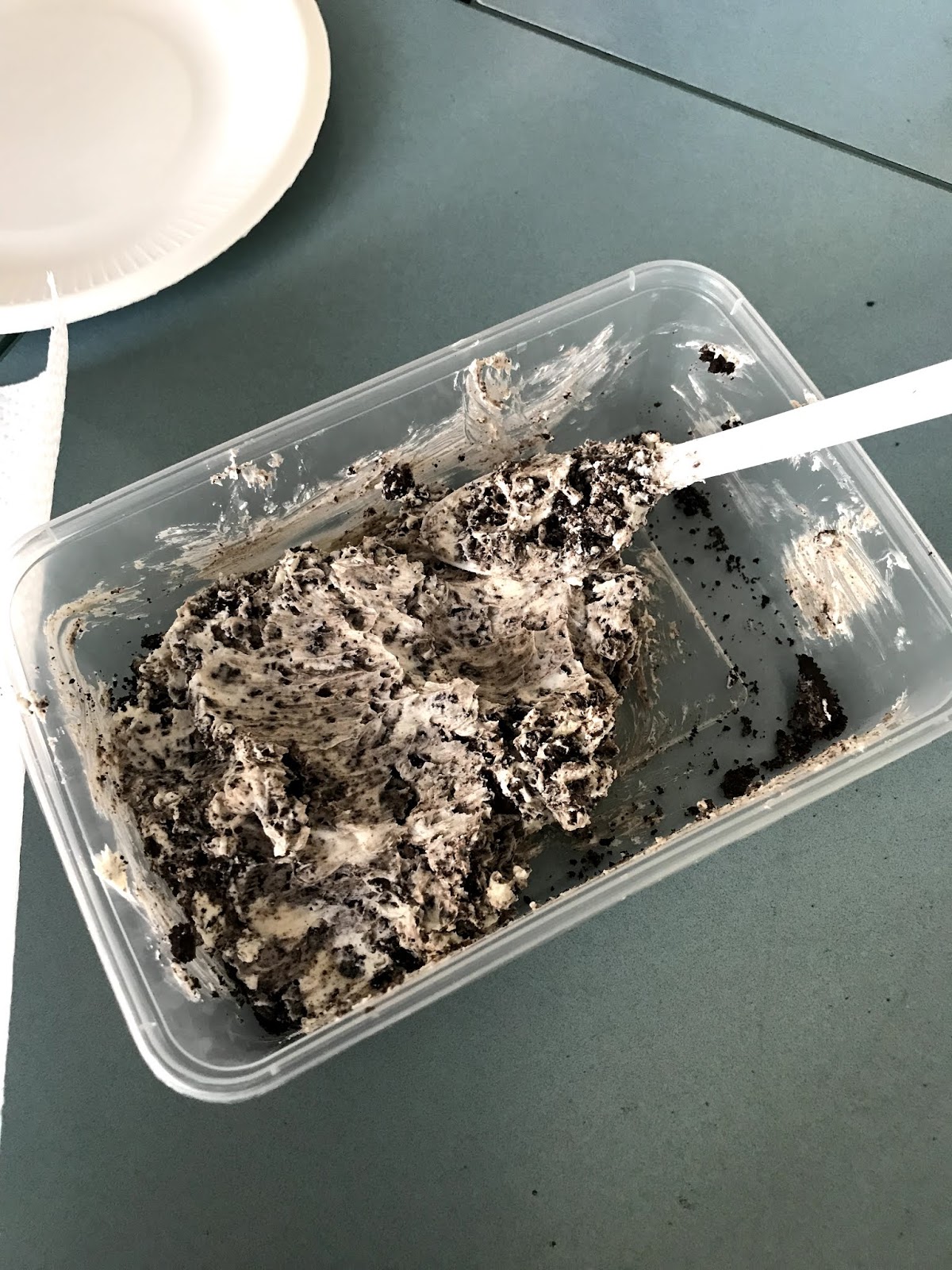
The following are a series of photographs that shows the process that myself and my friend Jo Horgan, went through to make Truffles today in one of our EdTech Workshops today delivered by Carol Heka.

The skills that I learnt in this lesson includes:
  1. the steps to create the truffles
  2. the importance of listening and following instructions, because I rolled my first truffle through the crumbs without any melted chocolate on it ... I should not have done that
  3. that it's okay to not make the perfect truffle ... just because my truffles didn't look like Jo's truffles, my truffles will probably still taste okay

I could use these skills again, if I were to:
  1. follow another recipe being delivered by Carol or another Food Tech teacher or Chef
  2. participate in another workshop that required me to listen carefully to instructions


 . 

 .  . 

 . 


 . 

 . 


 .  . 

 . 


Share
Tweet
Pin
Share
1 Comments

One of our Tech staff, Carol Heka, ran the first of a series of Blogging sessions during lunchtime last Thursday to address one of our department goals for 2019 as shown below.

Technology Department Goals 2019

Goal 1 Blogging
To develop resources for teachers to enable learners to produce meaningful blog posts.


The homework task from the Blogging session was as follows:

Homework
  • Come back to the next Blogging PD with feedback on what happened during the blog post session with students
    • What happened when you blogged with your students?
    • What changes need to happen to improve the blogging process?

 .     


Today, I used the writing frame from the Blogging session with my NCEA Level 1 students, who are currently in the middle of their project focussed around developing a website.  I informed the students at the beginning of the double session that they would be blogging in the last 30 minutes of today's lesson.  They would have 60 minutes to work on their website, and at 12.20pm, they would have to stop working on their website, and reflect on the progress of the website development.  This is what happened ...

  1. I shared the following blogging instructions with the students Blog Post Title: Website Development Progress
  2. Students blogged, and linked their blog post into the Assessment Workspace
    • Araiti  
    • Paige  
    • Sam  
  3. One of the students didn't have a blog, so he emailed Lenva asking that one be created for him.  He completed the blogging task in a Google doc


At the next Tech Dept Blogging session, we will discussing the changes that need to happen to improve the blogging process!
Share
Tweet
Pin
Share
No Comments

Workspace Task - Blogging

I have been trialling structuring blogging into Workspace Tasks, as shown in the image below.  The blogging task is added to the Workspace as an Activity in the Evidence column.


Workspace Task - Evidence Card

In the example provided, students would start the Level 1 - Game Blog Post evidence card, which looks as follows:


Student Blog Posts and Comments

The following are links to some of the students blog posts, which they have quad blogged and commented on within the class.  The blogging, commenting, and response to comments was incorporated into teaching and learning time during a couple of lessons.

  • Level 1 - Game Blog Post - Amethyst Hohaia Scanlan Game Blog Post Link
  • Level 1 - Game Blog Post - Faamanatu Tiumalu Game Blog Post Link
  • Level 1 - Game Blog Post - Isaac Lam Sam Game Blog Post Link
  • Level 1 - Game Blog Post - Leni Lakieto Game Blog Post Link
  • Level 1 - Game Blog Post - Angel Temu Game Blog Post Link
  • Level 1 - Game Blog Post - Ngatuaine Puri Game Blog Post Link


Share
Tweet
Pin
Share
1 Comments

Animated Stories and Brief Development

In Semester 1 this year, the first class that I had was a mix of Year 7 students from Glenbrae School.  The focus of this Semester was to teach code sequences to develop Animated Stories in Scratch, and for students to undertake Brief Development associated with their DigiTech projects.

Student Blogs

If you click on the student photos below, you will be able to navigate to the student blog posts that students wrote which includes links and embedded animations for some of the work that they undertook in DigiTech this semester.

 Siosaia Liu  Mahoney Taula  Po Munu
Candice Fakahau  Maya Griffiths  Tumanako Kern-McLeod  Francesca Pome'e  Anita Folau  Kupid Haenga  Auro Junior Pepe  Mathew Tukuafu

Students Blogging, but what to blog?

Some of the students were already blogging reflections on what they were learning in Technology when they returned to school.

Before the students moved from my specialist subject into the next Technology subject, I specifically wanted the students to blog an overview of some of the tasks that they had completed, relating to Brief Development, as well as the outcome that they had developed; that being, an animated story.

It was easier for me to model to the students, what I wanted them to include in the blog post overview.  This would ensure that students linked and embedded tasks associated with Brief Development and their Animated Stories.  Therefore I broadcast a model blog post for the students to follow, as shown in the image below.

Students had the option of linking their completed tasks from their Google Drive to the text in the bulleted list, or, linking previous blog posts to the text in the bulleted list.


Share
Tweet
Pin
Share
No Comments
Older Posts

About Me

Kia ora! I am the Head of Technology at Tāmaki College and also teach Digital Technologies.


My target group of learners for my Inquiry 2021 will be my Year 12 NCEA Level 2 class. This group of learners were my target group from my 2020 Inquiry. I would like to inquire into whether Academic Writing exemplars specific to Digital Technologies, in conjunction with the 'Explanation Writing' classroom display resources for Digital Technologies, based on SOLO taxonomy, could accelerate achievement in literacy in my subject.


My target group of learners for my Inquiry 2020 were my Year 11 NCEA Level 1 class. I inquired into the process of using the LearnCoach online programs (content) and VTaL Visible Teaching and Learning (workflow) to accelerate student achievement for Tamaki College students undertaking courses in Digital Technologies NCEA Levels 1, 2 and 3.


In 2019, my inquiry is to maximise pedagogical practices (relating to integrated education, and collaborative teaching and learning), to effectively shift student achievement, supported by digital platforms connected to visible teaching and learning.


My Inquiry in 2018, was to develop a VTaL Purpose-Built Innovative Tool, to enable all elements of the VTaL Framework to be accessible to teachers, in order to accelerate student achievement.


In 2017, my inquiry was based on raising student achievement and shifting teacher practice around effective pedagogical practices including Learn, Create and Share. This will be achieved through the development, implementation and monitoring of the Visible Teaching and Learning Framework.

recent posts

Blog Archive

  • ▼  2022 (8)
    • ▼  March (3)
      • Hybrid Teaching and Learning | The impact of Omicron
      • Manaiakalani Toolkit | Well-being - Supporting Our...
      • Technology - Manaiakalani Department Discussions M...
    • ►  February (5)
  • ►  2021 (16)
    • ►  November (1)
    • ►  September (2)
    • ►  August (1)
    • ►  July (2)
    • ►  June (4)
    • ►  May (3)
    • ►  March (2)
    • ►  February (1)
  • ►  2020 (42)
    • ►  November (2)
    • ►  September (2)
    • ►  August (7)
    • ►  July (5)
    • ►  June (4)
    • ►  May (7)
    • ►  April (7)
    • ►  March (3)
    • ►  February (4)
    • ►  January (1)
  • ►  2019 (30)
    • ►  September (2)
    • ►  August (3)
    • ►  July (1)
    • ►  June (2)
    • ►  April (1)
    • ►  March (12)
    • ►  February (9)
  • ►  2018 (41)
    • ►  November (7)
    • ►  October (2)
    • ►  September (1)
    • ►  August (4)
    • ►  July (4)
    • ►  May (7)
    • ►  April (4)
    • ►  March (5)
    • ►  February (7)
  • ►  2017 (65)
    • ►  December (2)
    • ►  November (22)
    • ►  October (6)
    • ►  September (6)
    • ►  August (10)
    • ►  June (4)
    • ►  May (3)
    • ►  April (1)
    • ►  March (4)
    • ►  February (6)
    • ►  January (1)
  • ►  2016 (26)
    • ►  December (1)
    • ►  November (18)
    • ►  September (6)
    • ►  August (1)

VTaL

  • VTaL (104)
  • VTaL 01 Subject Sites (33)
  • VTaL 02 Learning Activities (7)
  • VTaL 03 Tracking Sheets (28)
  • VTaL 04 Student Checklists (12)
  • VTaL 05 Calendars with Links (24)
  • VTaL 06 Workspaces (32)
  • VTaL 07 Student Sites (4)
  • VTaL 08 Year Level Sites (3)
  • VTaL 09 Subject Communities (26)
  • VTaL 10 Student Blogs (11)
  • VTaL and Google Hangouts (15)
  • VTaL and Student Achievement (45)
  • VTaL for Parents (13)
  • VTaL for Students (82)
  • VTaL for Teachers (32)

Presentations

  • GAFE (19)
  • My YouTube Videos (8)
  • Presentations (21)

Inquiry

  • Inquiry (134)
  • Inquiry 2019 (27)
  • Inquiry 2020 (34)
  • Inquiry 2021 (15)

Manaiakalani

  • CoL (167)
  • Inquiry (134)
  • Inquiry 2020 (34)
  • Learn Create Share (11)
  • MIT 2018 (16)
  • Manaiakalani (18)
  • Presentations (21)
  • SPARK MIT (59)

Tamaki College

  • 2018 Department Goals (2)
  • 2018 School Goals (3)
  • 2019 Department Goals (2)
  • CoL (167)
  • Collaborative Learning Environments (32)
  • Covid19 (29)
  • Cultural Responsiveness (10)
  • Differentiation (12)
  • EMR Collaborative Project (21)
  • Goals (2)
  • Human Rights Collaborative Project (5)
  • Integrated Education (24)
  • Kia Eke Panuku (8)
  • LearnCoach (2)
  • Literacy (21)
  • PLD (18)
  • Techies (12)
  • Technological Modelling (4)

Practicing Teacher Criteria

  • PTC01 (31)
  • PTC02 (9)
  • PTC03 (6)
  • PTC04 (61)
  • PTC05 (17)
  • PTC06 (42)
  • PTC07 (32)
  • PTC08 (34)
  • PTC09 (8)
  • PTC10 (7)
  • PTC11 (16)
  • PTC12 (54)

General

  • CoL (167)
  • Collaborative Learning Environments (32)
  • Cultural Responsiveness (10)
  • Differentiation (12)
  • Feedback - Parent Voice (2)
  • Feedback - Staff Voice (6)
  • Feedback - Student Voice (23)
  • GAFE (19)
  • Goals (2)
  • Integrated Education (24)
  • Kia Eke Panuku (8)
  • LearnCoach (2)
  • Literacy (21)
  • My YouTube Videos (8)
  • Review (14)
  • Student Agency (15)

Contact Form

Name

Email *

Message *

Total Pageviews

Created with by BeautyTemplates| Distributed By Gooyaabi Templates