My Space and My Place

    • Home
    • Inquiry 2021
    • Digital Technologies Site
    • VTaL Site
    • VTaL G+

As outlined in today's NZ Herald article, Covid19 Omicron outbreak: 15,540 new community cases, 952 in hospital, 2 deaths, Auckland covid cases are said to be "on a downward trend".  However, also stated in the article, "schools across the country are feeling the impact of the Omicron outbreak".  

What does this look like for "our" students?


Since the beginning of the 2022 school year, I have inquired into various aspects of Hybrid Teaching and Learning, and how this learning approach may be used to enable our learners to achieve.  As outlined from the list below, this has included inquiring into initial takes on Hybrid Teaching and Learning, Student Voice of Hybrid Teaching and Learning, what we've (Techies) learnt from Lockdowns, Understanding the variables to make it work, and the Hybrid Timetable.

  • Hybrid Teaching and Learning | Take 01
  • Hybrid Teaching and Learning | Take 01 - Student Voice from Learners In-Class Onsite
  • Hybrid Learning 2022 | Techies Learning from Lockdowns
  • Hybrid Teaching and Learning | Understanding the variables to make it work
  • Hybrid Teaching and Learning in our Hybrid Timetable

At this stage of the pandemic, with Omicron as the main Covid19 variant, and also at this stage of the year, it is too soon to come to any conclusions about the long term impacts or benefits of Hybrid Teaching and Learning for learners, but also the long term impacts or benefits to educators; particularly educators who are in the classroom.

What is clear is that teaching and learning has evolved, and continues to evolve at a frenetic pace, in response to the Covid19 pandemic.  It will be interesting to see what student achievement looks like as assessment data becomes available.


Share
Tweet
Pin
Share
No Comments


Here's an example of Hybrid Teaching and Learning in our Hybrid Timetable that involves a couple of Year 12 DGT students undertaking tasks onsite in the classroom, while a few of the Year 13 DGT students are undertaking tasks online from home.

A scenario that I've developed for the students is to complete tasks onsite at school within the VS Code - Code editing software on the classroom workstations, and transferring that code into the Neocities online web development application, so that they can continue working on their web development tasks from home.  This requires the students always ensuring that the codes in their Neocities sites is up to date.  However, it also allows the students to develop their technical skills in the more complex, industry standard Code editing software when they are in the classroom.

So, the hybrid teaching and learning methods in these contexts includes:
  • Online learning for students logging in from home and in the classroom (coding in Neocities) - Online learning is learning that is accessed by the learner via the internet, whether remotely or onsite at school
  • Remote learning for students logging in from home (coding in Neocities) - Remote learning is learning that takes place away from school, whether via the internet or paper based
  • Face-to-face learning for students logging in from home in the Google Meet, as well as students in the classroom (coding in Neocities) - Face-to-face learning is learning that takes place with the teacher, whether online or in person
  • Onsite learning for students in the classroom (coding in VS Code and also Neocities) - Onsite learning is learning that happens at school
The importance of setting up this approach for learners, of using complex software onsite in the classroom, and also software that is available online, is that the learning can continue for the learners regardless of whether they are learning from home, or learning onsite at school.  As long as the students have devices and internet access, the learning journey continues.

Share
Tweet
Pin
Share
No Comments

The following is a screencastify on a quick task that I've set with my learners, so that I know, that 'they' know, how to access their learning on my site.

This was a timely reminder for learners to know how to access their learning, while they are in the classroom, as well as when they are offsite including during lockdowns.  It is also an extremely useful for students who are new to my subject and are completely new to Tamaki College.


Accessing work in DigiTech


Share
Tweet
Pin
Share
No Comments

Animation Example

The following is an example of the Animation that has been used in the Create an Animation in Scratch to Share your Learning workshop.


DLO Animation on Scratch - Instructions
The above heading is the link to the Instructions for the Create an Animation in Scratch to Share your Learning workshop.


DLO Animation on Scratch - Example Blog Post
The above heading is an example of a DLO Blog Post that incorporates Animation from the Create an Animation in Scratch to Share your Learning workshop.


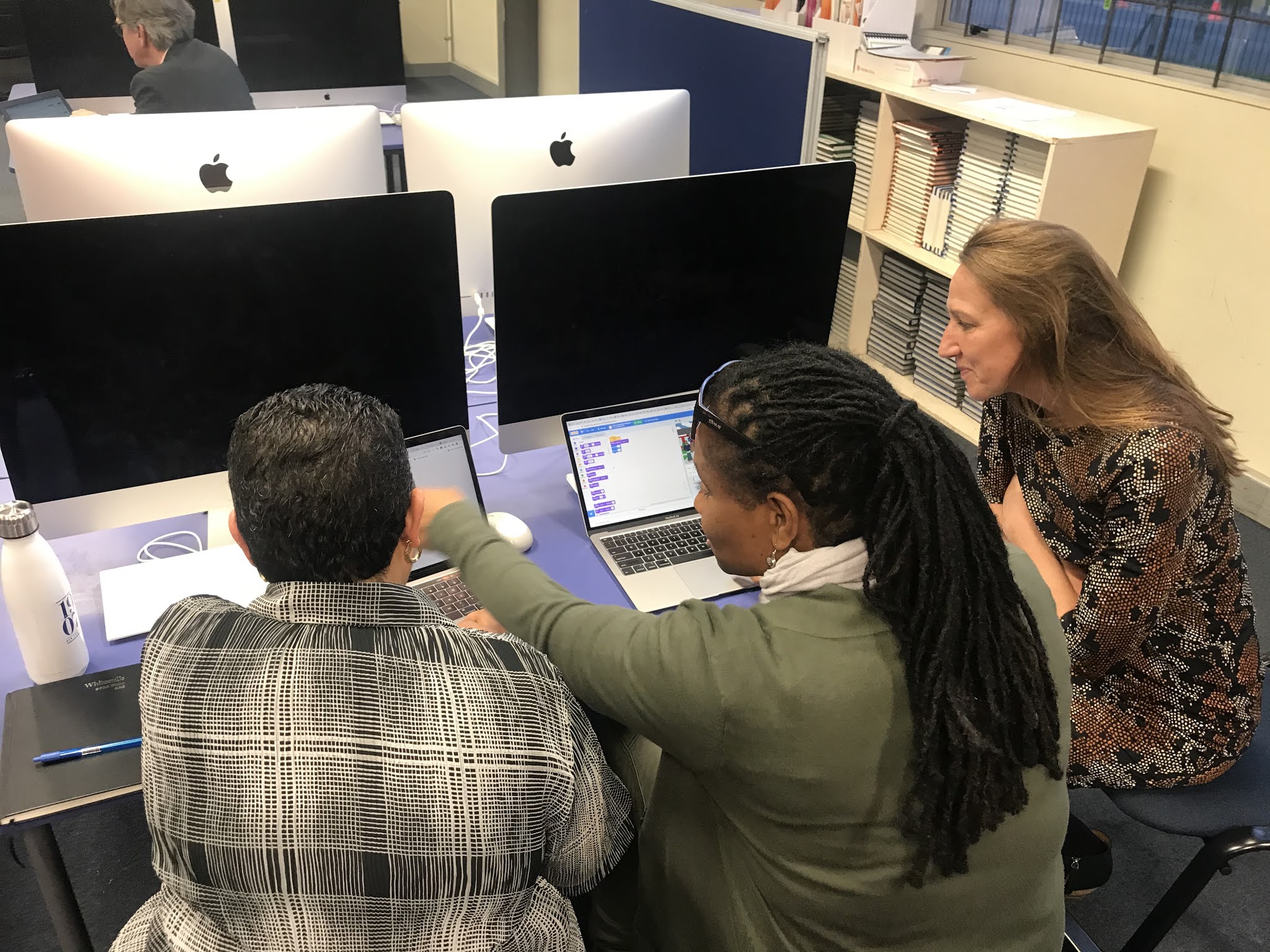
Fantastic participation from those who attended the workshop.  Great collaboration too, well done!  Thanks for the feedback Team!


If you would like more support outside of the Create Workshop timeframe to work through this resource, please email me on anderson@tamaki.ac.nz with the 
Subject: Create an Animation in Scratch to Share your Learning Workshop.


Digital Technologies Curriculum
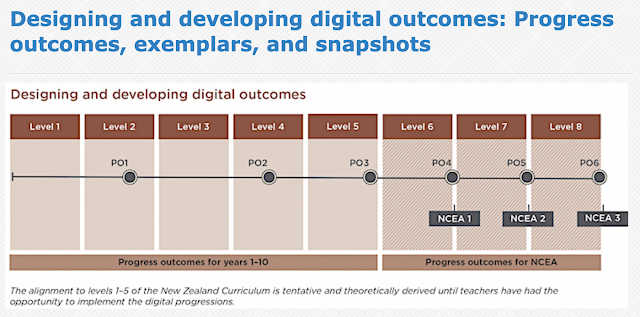
The learning required to produce the Animation in Scratch as a DLO, incorporates various aspects of the Digital Technologies Curriculum from both the Computational Thinking Progress Outcome, and the Designing and developing digital outcomes Progress Outcome.


Share
Tweet
Pin
Share
No Comments


The following is an example of Creating a short, animated presentation in Scratch, and how this way of presenting could be used by students to Share their Learning.

The presentation includes the use of:

  • text (in speech bubbles) to communicate ideas
  • basic animations to give more realistic movements
  • basic animations to capture attention
  • backdrops relevant to the presentation
As you can see, the presentation can be embedded into blog posts, alongside the work that the presentation is describing or referring to.


Game Screencastify 1
Game Screencastify 2
Game Screencastify 3
Game Screencastify 4
Game Screencastify 5

Share
Tweet
Pin
Share
No Comments

I adapted the Internal Assessment Evidence Gathering Template from NZQA into Google doc format, for NCEA DigiTech assessments that I am delivering with my students.

Student Tracking Sheets are resources that I have used with my senior students for quite a few years now.  However, I decided to adapt the templates that NZQA published, in order for the format to stay consistent with what students will become familiar with.

The reason that I adapted the templates into Google doc format, is to enable learners to link their evidence into a Student Checklist, and also so that I can drop comments or feedback into the checklist.  I have entered the Evidence that I expect students to link, in blue text colour, to differentiate from the assessment criteria from the standard information.  

Having the template as a Google doc enables the resource to be user friendly and functional; especially when submitting work for moderation.

AS91884 (PDF, 97KB) - Use basic iterative processes to develop a digital outcome


Internal Assessment

Evidence Gathering Template


Learner Name


NSN


Subject

101DGT - DigiTech Level 1

Level

1

Standard No.

AS91884

Version

1

Standard Title

Use basic iterative processes to develop a digital outcome


Achieved

Merit

Excellence

Use basic iterative processes to develop a digital outcome.

Use basic iterative processes to develop an informed digital outcome.

Use basic iterative processes to develop a refined digital outcome.


Key requirements (list):

A 

M

E

Planning a digital outcome to address a problem, need, opportunity, or interest


Statement of Intent


✔ or ✖


Managing the development by decomposing the digital outcome into smaller components


Statement of Intent


✔ or ✖


Trialling components of the outcome in an iterative manner


Testing Logbook


✔ or ✖


Testing that the digital outcome functions as intended


Testing Logbook


✔ or ✖


Describing relevant implications.


Testing Logbook


✔ or ✖


Using information from testing and trialling to improve the outcome


Improvements Logbook


✔ or ✖


Trialling multiple components and/or techniques and selecting the most suitable


Improvements Logbook


✔ or ✖


Addressing relevant implications


Statement of Intent

Testing Logbook

Improvements Logbook


✔ or ✖


Applying information from the planning, testing and trialling of components to develop a high-quality outcome.


Statement of Intent

Testing Logbook

Improvements Logbook


✔ or ✖


Sufficiency statement:

Achieved

All of A must be ticked

Merit

All of A and M must be ticked

Excellence

All of A and M and E must be ticked

TICK OVERALL GRADE

N

A

M

E


Share
Tweet
Pin
Share
No Comments
Older Posts

About Me

Kia ora! I am the Head of Technology at Tāmaki College and also teach Digital Technologies.


My target group of learners for my Inquiry 2021 will be my Year 12 NCEA Level 2 class. This group of learners were my target group from my 2020 Inquiry. I would like to inquire into whether Academic Writing exemplars specific to Digital Technologies, in conjunction with the 'Explanation Writing' classroom display resources for Digital Technologies, based on SOLO taxonomy, could accelerate achievement in literacy in my subject.


My target group of learners for my Inquiry 2020 were my Year 11 NCEA Level 1 class. I inquired into the process of using the LearnCoach online programs (content) and VTaL Visible Teaching and Learning (workflow) to accelerate student achievement for Tamaki College students undertaking courses in Digital Technologies NCEA Levels 1, 2 and 3.


In 2019, my inquiry is to maximise pedagogical practices (relating to integrated education, and collaborative teaching and learning), to effectively shift student achievement, supported by digital platforms connected to visible teaching and learning.


My Inquiry in 2018, was to develop a VTaL Purpose-Built Innovative Tool, to enable all elements of the VTaL Framework to be accessible to teachers, in order to accelerate student achievement.


In 2017, my inquiry was based on raising student achievement and shifting teacher practice around effective pedagogical practices including Learn, Create and Share. This will be achieved through the development, implementation and monitoring of the Visible Teaching and Learning Framework.

recent posts

Blog Archive

  • ▼  2022 (8)
    • ▼  March (3)
      • Hybrid Teaching and Learning | The impact of Omicron
      • Manaiakalani Toolkit | Well-being - Supporting Our...
      • Technology - Manaiakalani Department Discussions M...
    • ►  February (5)
  • ►  2021 (16)
    • ►  November (1)
    • ►  September (2)
    • ►  August (1)
    • ►  July (2)
    • ►  June (4)
    • ►  May (3)
    • ►  March (2)
    • ►  February (1)
  • ►  2020 (42)
    • ►  November (2)
    • ►  September (2)
    • ►  August (7)
    • ►  July (5)
    • ►  June (4)
    • ►  May (7)
    • ►  April (7)
    • ►  March (3)
    • ►  February (4)
    • ►  January (1)
  • ►  2019 (30)
    • ►  September (2)
    • ►  August (3)
    • ►  July (1)
    • ►  June (2)
    • ►  April (1)
    • ►  March (12)
    • ►  February (9)
  • ►  2018 (41)
    • ►  November (7)
    • ►  October (2)
    • ►  September (1)
    • ►  August (4)
    • ►  July (4)
    • ►  May (7)
    • ►  April (4)
    • ►  March (5)
    • ►  February (7)
  • ►  2017 (65)
    • ►  December (2)
    • ►  November (22)
    • ►  October (6)
    • ►  September (6)
    • ►  August (10)
    • ►  June (4)
    • ►  May (3)
    • ►  April (1)
    • ►  March (4)
    • ►  February (6)
    • ►  January (1)
  • ►  2016 (26)
    • ►  December (1)
    • ►  November (18)
    • ►  September (6)
    • ►  August (1)

VTaL

  • VTaL (104)
  • VTaL 01 Subject Sites (33)
  • VTaL 02 Learning Activities (7)
  • VTaL 03 Tracking Sheets (28)
  • VTaL 04 Student Checklists (12)
  • VTaL 05 Calendars with Links (24)
  • VTaL 06 Workspaces (32)
  • VTaL 07 Student Sites (4)
  • VTaL 08 Year Level Sites (3)
  • VTaL 09 Subject Communities (26)
  • VTaL 10 Student Blogs (11)
  • VTaL and Google Hangouts (15)
  • VTaL and Student Achievement (45)
  • VTaL for Parents (13)
  • VTaL for Students (82)
  • VTaL for Teachers (32)

Presentations

  • GAFE (19)
  • My YouTube Videos (8)
  • Presentations (21)

Inquiry

  • Inquiry (134)
  • Inquiry 2019 (27)
  • Inquiry 2020 (34)
  • Inquiry 2021 (15)

Manaiakalani

  • CoL (167)
  • Inquiry (134)
  • Inquiry 2020 (34)
  • Learn Create Share (11)
  • MIT 2018 (16)
  • Manaiakalani (18)
  • Presentations (21)
  • SPARK MIT (59)

Tamaki College

  • 2018 Department Goals (2)
  • 2018 School Goals (3)
  • 2019 Department Goals (2)
  • CoL (167)
  • Collaborative Learning Environments (32)
  • Covid19 (29)
  • Cultural Responsiveness (10)
  • Differentiation (12)
  • EMR Collaborative Project (21)
  • Goals (2)
  • Human Rights Collaborative Project (5)
  • Integrated Education (24)
  • Kia Eke Panuku (8)
  • LearnCoach (2)
  • Literacy (21)
  • PLD (18)
  • Techies (12)
  • Technological Modelling (4)

Practicing Teacher Criteria

  • PTC01 (31)
  • PTC02 (9)
  • PTC03 (6)
  • PTC04 (61)
  • PTC05 (17)
  • PTC06 (42)
  • PTC07 (32)
  • PTC08 (34)
  • PTC09 (8)
  • PTC10 (7)
  • PTC11 (16)
  • PTC12 (54)

General

  • CoL (167)
  • Collaborative Learning Environments (32)
  • Cultural Responsiveness (10)
  • Differentiation (12)
  • Feedback - Parent Voice (2)
  • Feedback - Staff Voice (6)
  • Feedback - Student Voice (23)
  • GAFE (19)
  • Goals (2)
  • Integrated Education (24)
  • Kia Eke Panuku (8)
  • LearnCoach (2)
  • Literacy (21)
  • My YouTube Videos (8)
  • Review (14)
  • Student Agency (15)

Contact Form

Name

Email *

Message *

Total Pageviews

Created with by BeautyTemplates| Distributed By Gooyaabi Templates