My Space and My Place

    • Home
    • Inquiry 2021
    • Digital Technologies Site
    • VTaL Site
    • VTaL G+

How to celebrate Matariki at home Me pēhea te whakanui i a Matariki i te kāinga


The presentation in this blog post includes examples of some of the ways in which my whānau celebrates Matariki at home.

This includes different ways of learning and talking about whakapapa, acknowledging tīpuna and sharing ideas about whānau celebrations through vision boards, time spent creating and reflecting on taonga, and Josh blogging about our marae in Te Teko through his school Science project for Strength of Structures.  I'm sure that he would appreciate some feedback and comments on his blog posts. 


How to celebrate Matariki Me pēhea te whakanui i a Matariki

The last slide in the presentation includes links to various Matariki activities that are happening around Auckland this year.


 .


Share
Tweet
Pin
Share
2 Comments


The following is the Press Release of the EMR Project that Tamaki College Year 10 students participated in this year.  The EMR Project was a collaboration between Science, DigiTech (Technology), Social Sciences, and the Experiencing Marine Reserves (EMR) Team, whereby students participated in a range of Marine-orientated activities, undertook a social action, and participated in a competition sponsored by EMR.


Share
Tweet
Pin
Share
No Comments
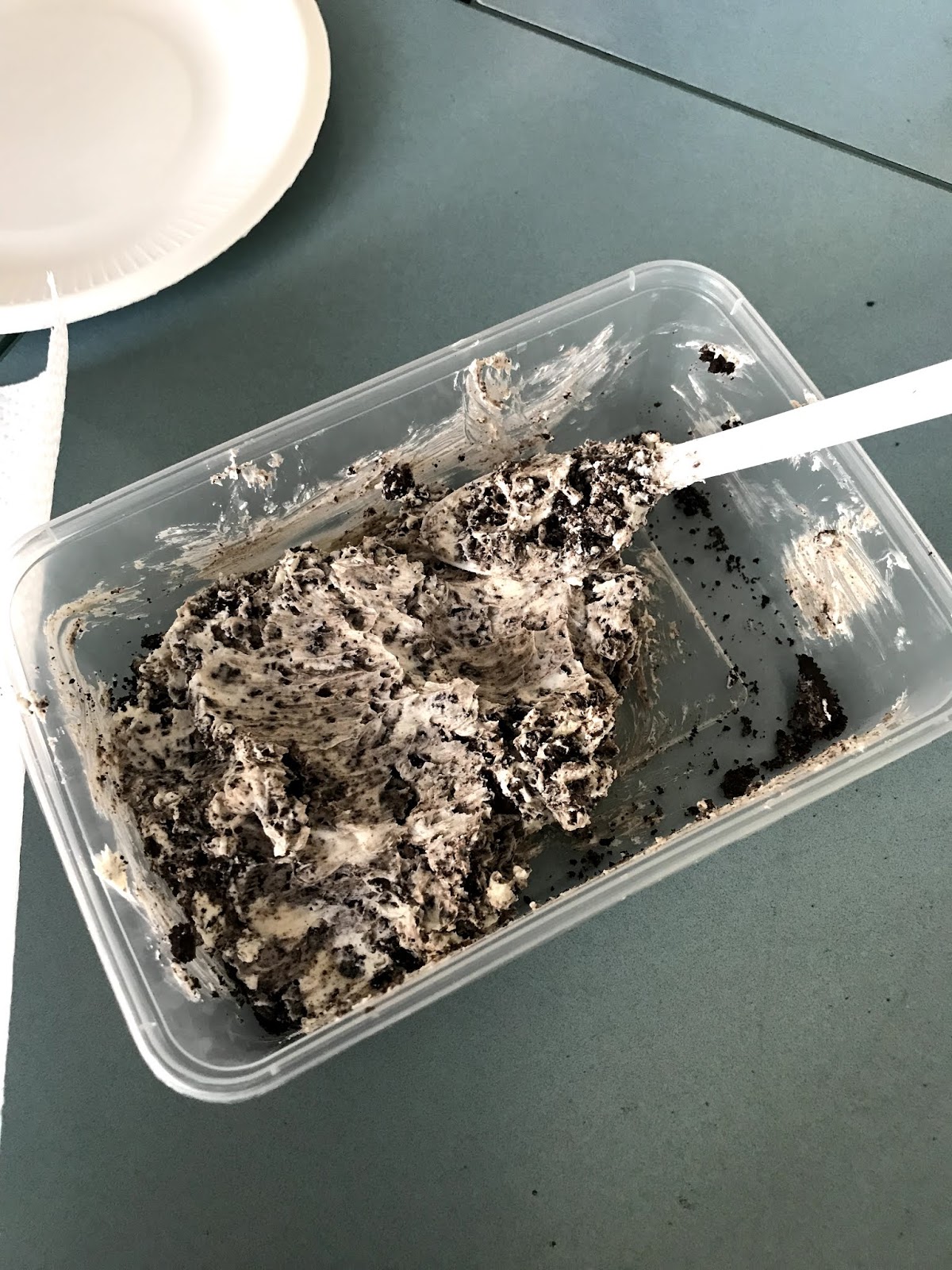
The following are a series of photographs that shows the process that myself and my friend Jo Horgan, went through to make Truffles today in one of our EdTech Workshops today delivered by Carol Heka.

The skills that I learnt in this lesson includes:
  1. the steps to create the truffles
  2. the importance of listening and following instructions, because I rolled my first truffle through the crumbs without any melted chocolate on it ... I should not have done that
  3. that it's okay to not make the perfect truffle ... just because my truffles didn't look like Jo's truffles, my truffles will probably still taste okay

I could use these skills again, if I were to:
  1. follow another recipe being delivered by Carol or another Food Tech teacher or Chef
  2. participate in another workshop that required me to listen carefully to instructions


 . 

 .  . 

 . 


 . 

 . 


 .  . 

 . 


Share
Tweet
Pin
Share
1 Comments

Notes and Printouts

At the beginning of 10PSd's double Science lesson yesterday, Graham brought his class over to T2 to work on their games for the EMR Project.  During this time, Graham, Alex and myself meet together to talk about how we could streamline the tasks for the EMR project to enable the students to meet the criteria for the EMR Poor Knights Action Project Competition.


 . 


Workspace

I suggested that we use a Workspace to bring all of the tasks together.  The reason being, that we could all have access to the different tasks in one place, which will would be able to track student progress (that's the next blog post!), and also, so that by having all of the tasks together, it would (fingers crossed) be easier for the students to collate the individual sections into a final EMR blog post.  The other reason that I suggested that we use the Workspace for tracking each task, is because of the timeline that we're working under in order for the students to submit their work for the competition.  The timeline is tight!

I am not entirely sure how we will go with this, in terms of the collaborative aspect of using the Workspace to have all of the tasks together for the EMR Project.  The reason being because we hadn't discussed how we use Workspaces in our individual subject areas, and how we'd like to use the Workspace for the EMR Project.  In an ideal world and situation, it would've been so much better if we could've invested the time into our preferences for planning, and implementing the teaching and learning.  Just to reiterate, we are fighting the clock! I guess we can reflect on that as the project unfolds.  Anyway ... I set up a Workspace for the three of us to collaborate within, and for us to each populate with our tasks for the students to complete.


Workspace - 10PSd - EMR Experiencing Marine Reserves Action Project


Share
Tweet
Pin
Share
No Comments


After teaching 10PSd last Tuesday, and needing to focus the students around meeting the criteria for the EMR Poor Knights Competition Criteria, I realised that we (we being the staff teaching 10PSd involved in the EMR project - Alex Brown [SoS], Graham Stoddard [Science] and myself [DigiTech]) possibly needed to come together to discuss which subject areas would pick up each of the different competition criteria, and how we'd bring it all together.

So .... I jotted down some notes that aligned with the criteria, and emailed my colleagues to see when we could meet and discuss.


 .  . 


 . 

 . 

 . 

 . 

 . 


Share
Tweet
Pin
Share
No Comments
As discussed in a previous planning session, Alex Brown who is the Social Studies Teacher for 10PSd, agreed to allow me to utilise one of his allocated Social Studies lessons for the students to develop the Multi-level Game that they have been working on in DigiTech for the EMR Project.

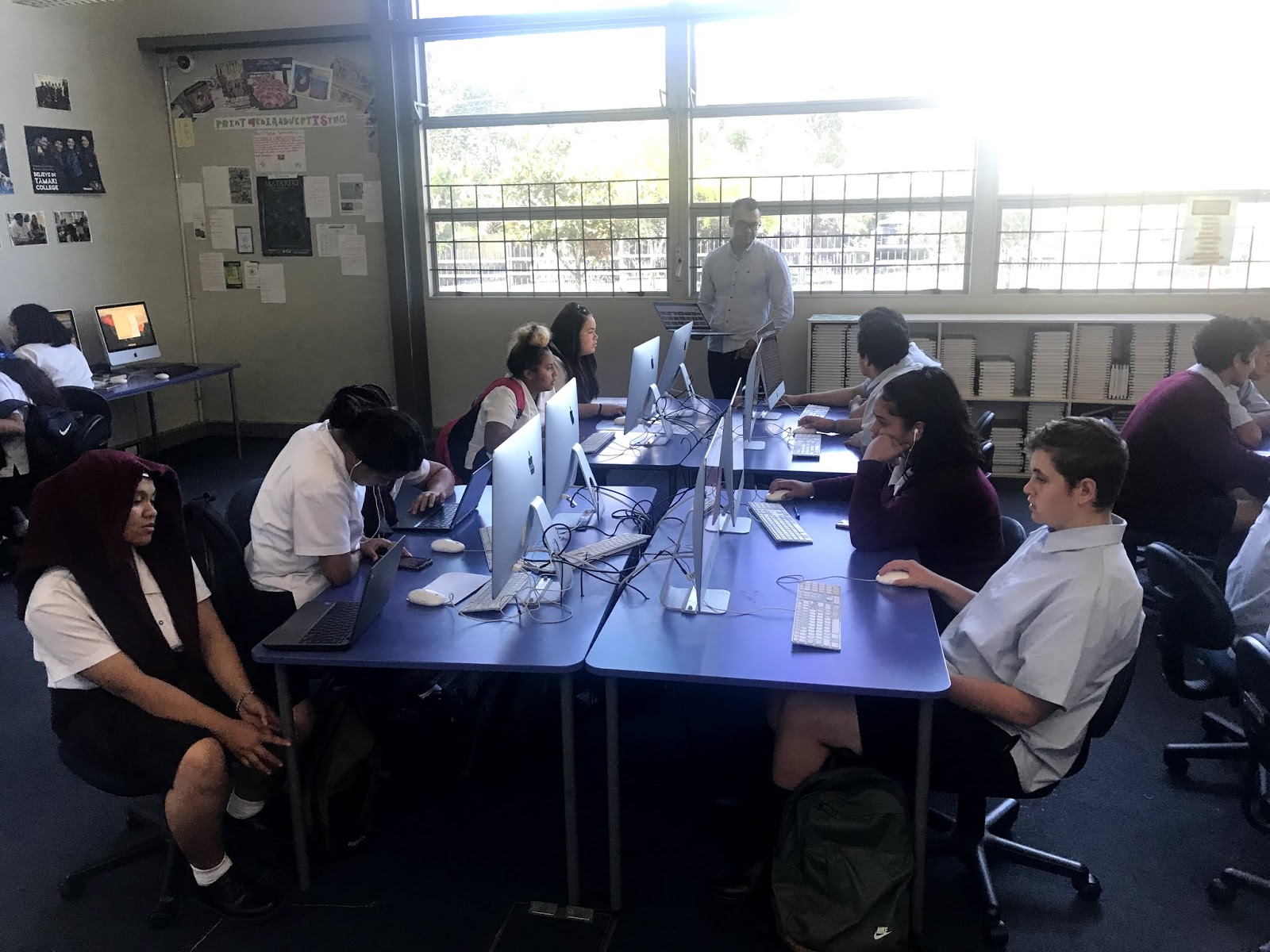
10PSd joined my NCEA Level 1 class during Period 4 yesterday, although both classes were focussing on their separate projects.  During the lesson, 10PSd utilised this class time to set up their game with Backdrops and Sprites, ready for coding in today's double DigiTech lesson.

Alex Brown (Social Studies Teacher), Graham Stoddard (Science Teacher) and myself (DigiTech Teacher), all have a vested interest in the EMR Project that 10PSd is involved in, including enabling 10PSd to develop the Multi-level Game for the Poor Knights Island Competition.  

The following are a series of photographs from the lesson, that shows the students engaged in Game Development, while Alex and his student teacher, Cheyne, are interacting with the students while they are learning.


Share
Tweet
Pin
Share
No Comments
Newer Posts
Older Posts

About Me

Kia ora! I am the Head of Technology at Tāmaki College and also teach Digital Technologies.


My target group of learners for my Inquiry 2021 will be my Year 12 NCEA Level 2 class. This group of learners were my target group from my 2020 Inquiry. I would like to inquire into whether Academic Writing exemplars specific to Digital Technologies, in conjunction with the 'Explanation Writing' classroom display resources for Digital Technologies, based on SOLO taxonomy, could accelerate achievement in literacy in my subject.


My target group of learners for my Inquiry 2020 were my Year 11 NCEA Level 1 class. I inquired into the process of using the LearnCoach online programs (content) and VTaL Visible Teaching and Learning (workflow) to accelerate student achievement for Tamaki College students undertaking courses in Digital Technologies NCEA Levels 1, 2 and 3.


In 2019, my inquiry is to maximise pedagogical practices (relating to integrated education, and collaborative teaching and learning), to effectively shift student achievement, supported by digital platforms connected to visible teaching and learning.


My Inquiry in 2018, was to develop a VTaL Purpose-Built Innovative Tool, to enable all elements of the VTaL Framework to be accessible to teachers, in order to accelerate student achievement.


In 2017, my inquiry was based on raising student achievement and shifting teacher practice around effective pedagogical practices including Learn, Create and Share. This will be achieved through the development, implementation and monitoring of the Visible Teaching and Learning Framework.

recent posts

Blog Archive

  • ▼  2022 (8)
    • ▼  March (3)
      • Hybrid Teaching and Learning | The impact of Omicron
      • Manaiakalani Toolkit | Well-being - Supporting Our...
      • Technology - Manaiakalani Department Discussions M...
    • ►  February (5)
  • ►  2021 (16)
    • ►  November (1)
    • ►  September (2)
    • ►  August (1)
    • ►  July (2)
    • ►  June (4)
    • ►  May (3)
    • ►  March (2)
    • ►  February (1)
  • ►  2020 (42)
    • ►  November (2)
    • ►  September (2)
    • ►  August (7)
    • ►  July (5)
    • ►  June (4)
    • ►  May (7)
    • ►  April (7)
    • ►  March (3)
    • ►  February (4)
    • ►  January (1)
  • ►  2019 (30)
    • ►  September (2)
    • ►  August (3)
    • ►  July (1)
    • ►  June (2)
    • ►  April (1)
    • ►  March (12)
    • ►  February (9)
  • ►  2018 (41)
    • ►  November (7)
    • ►  October (2)
    • ►  September (1)
    • ►  August (4)
    • ►  July (4)
    • ►  May (7)
    • ►  April (4)
    • ►  March (5)
    • ►  February (7)
  • ►  2017 (65)
    • ►  December (2)
    • ►  November (22)
    • ►  October (6)
    • ►  September (6)
    • ►  August (10)
    • ►  June (4)
    • ►  May (3)
    • ►  April (1)
    • ►  March (4)
    • ►  February (6)
    • ►  January (1)
  • ►  2016 (26)
    • ►  December (1)
    • ►  November (18)
    • ►  September (6)
    • ►  August (1)

VTaL

  • VTaL (104)
  • VTaL 01 Subject Sites (33)
  • VTaL 02 Learning Activities (7)
  • VTaL 03 Tracking Sheets (28)
  • VTaL 04 Student Checklists (12)
  • VTaL 05 Calendars with Links (24)
  • VTaL 06 Workspaces (32)
  • VTaL 07 Student Sites (4)
  • VTaL 08 Year Level Sites (3)
  • VTaL 09 Subject Communities (26)
  • VTaL 10 Student Blogs (11)
  • VTaL and Google Hangouts (15)
  • VTaL and Student Achievement (45)
  • VTaL for Parents (13)
  • VTaL for Students (82)
  • VTaL for Teachers (32)

Presentations

  • GAFE (19)
  • My YouTube Videos (8)
  • Presentations (21)

Inquiry

  • Inquiry (134)
  • Inquiry 2019 (27)
  • Inquiry 2020 (34)
  • Inquiry 2021 (15)

Manaiakalani

  • CoL (167)
  • Inquiry (134)
  • Inquiry 2020 (34)
  • Learn Create Share (11)
  • MIT 2018 (16)
  • Manaiakalani (18)
  • Presentations (21)
  • SPARK MIT (59)

Tamaki College

  • 2018 Department Goals (2)
  • 2018 School Goals (3)
  • 2019 Department Goals (2)
  • CoL (167)
  • Collaborative Learning Environments (32)
  • Covid19 (29)
  • Cultural Responsiveness (10)
  • Differentiation (12)
  • EMR Collaborative Project (21)
  • Goals (2)
  • Human Rights Collaborative Project (5)
  • Integrated Education (24)
  • Kia Eke Panuku (8)
  • LearnCoach (2)
  • Literacy (21)
  • PLD (18)
  • Techies (12)
  • Technological Modelling (4)

Practicing Teacher Criteria

  • PTC01 (31)
  • PTC02 (9)
  • PTC03 (6)
  • PTC04 (61)
  • PTC05 (17)
  • PTC06 (42)
  • PTC07 (32)
  • PTC08 (34)
  • PTC09 (8)
  • PTC10 (7)
  • PTC11 (16)
  • PTC12 (54)

General

  • CoL (167)
  • Collaborative Learning Environments (32)
  • Cultural Responsiveness (10)
  • Differentiation (12)
  • Feedback - Parent Voice (2)
  • Feedback - Staff Voice (6)
  • Feedback - Student Voice (23)
  • GAFE (19)
  • Goals (2)
  • Integrated Education (24)
  • Kia Eke Panuku (8)
  • LearnCoach (2)
  • Literacy (21)
  • My YouTube Videos (8)
  • Review (14)
  • Student Agency (15)

Contact Form

Name

Email *

Message *

Total Pageviews

Created with by BeautyTemplates| Distributed By Gooyaabi Templates